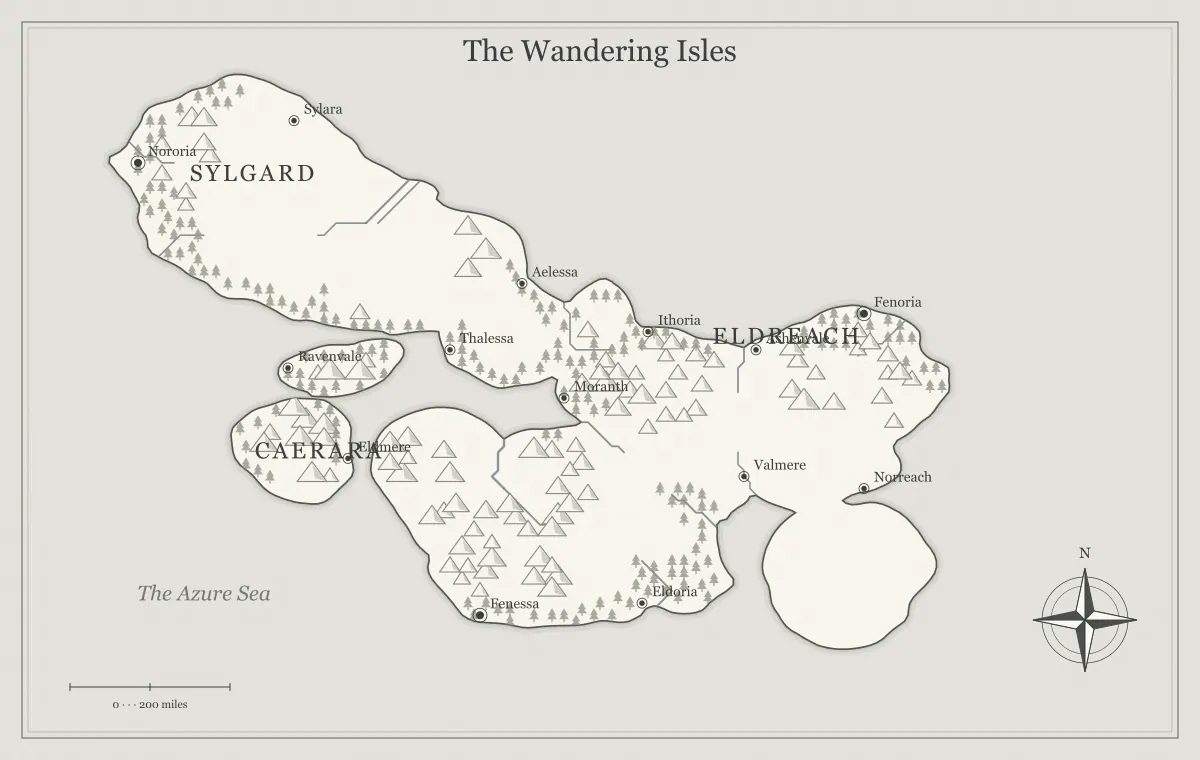
A free fantasy map maker can remove much of the friction from starting a fictional setting. You can generate terrain, try styles, rename places, and download an illustration without an account or a payment step. That convenience is valuable, but it does not mean the tool replaces every kind of map software or every worldbuilding decision. Understanding its limits helps you use the generator efficiently and avoid expecting a feature it was never designed to provide.
This guide describes the current free fantasy map maker in practical terms. We will distinguish fictional geography from simulation, regional illustration from tactical encounters, local editing from complete vector design, and browser storage from a hosted project library. The examples use an imaginary setting called the Glass Coast. The purpose is to help you choose a workable method for your project, not to claim that one tool fits every possible creative workflow.
What free means in the current workflow
You can create and customize ordinary maps without an account, a paid checkout, or a watermark on the generated output. The tool does not make you subscribe before trying terrain or downloading an image. That short path is helpful for a quick campaign region or a first novel draft. You still invest your own time in selecting geography, deciding labels, and preparing a useful final file.
Free access does not imply a guarantee of uninterrupted service, unlimited device memory, or permanent hosted storage. A browser-based tool relies on the environment in which it runs. Keep an independent copy of important work and test exports before relying on them for a deadline. The Terms of Use explain ordinary use and output permission, while the first-world tutorial shows how to turn the available features into a focused project.
Regional geography is different from a battle map
The generator creates fictional geographic illustrations: worlds, regions, islands, and archipelagos. Those views help readers understand places, barriers, and journeys. They do not automatically produce a tavern floor plan, a dungeon room network, or a square-by-square tactical encounter. A large region and a small combat scene operate at different scales and need different information.
For the Glass Coast, the regional map can show a harbor and the route toward a ruined fortress. If players enter the fortress, prepare a separate encounter layout appropriate to the scene. Do not treat a decorative grid on a regional illustration as proof of precise tactical distances. The DND no-login guide explains the regional preparation workflow, and virtual tabletop preparation separates campaign orientation from encounter-specific mapping.
Procedural terrain is not a complete planet simulation
The engine generates landforms and terrain using seeded calculations and geographic drawing rules. It can produce a useful irregular coastline and visual terrain patterns, but it does not model every detail of planetary geology, weather, ecology, and settlement history. A generated mountain range is a creative starting feature. It does not arrive with a verified tectonic age or a fully simulated climate on either side.
You can supply the missing reasoning through worldbuilding. If the Glass Coast has a dry valley behind a ridge, decide how the regional weather works and how people obtain water. Keep the explanation proportional to the story. The climate and biome guide and mountain range guide help you reason about major relationships without confusing an illustration tool with a scientific model.
The scale is a storytelling aid
A scale bar can help a fictional map look like a chart and provide a reference for a setting. It is not a surveyed measurement of an actual place. If you need consistent fictional distances, define your intended scope and apply the same assumptions in your notes. The image does not independently know whether your continent is small, vast, or part of an unusual magical world.
Travel duration also depends on more than straight-line distance. Terrain, transport, weather, stopping points, and risk can change a journey. A boat may move efficiently along a river while a shorter mountain path takes longer. The scale and distance guide explains how to establish useful assumptions, while travel route planning turns those differences into choices the audience can understand.
Supported editing is not unrestricted drawing
The editor lets you change supported labels, move labels and added elements, and add available landmarks or text. Those controls help make a generated world your own. They do not mean every coastline point and terrain symbol has become an unrestricted drawing object in the browser interface. Know which part of the project you are editing before expecting a control to reshape the entire map.
If the underlying geography does not support the story, choose another candidate or adjust the brief before investing heavily in labels. If you need detailed custom illustration after generation, an SVG export can provide material for a suitable external vector workflow. Inspect it in the receiving application and preserve the original. The editing guide focuses on the tool's actual controls, and format comparison explains the role of SVG.
A new map is not automatically a matching close-up
Generating another island or region does not automatically create an exact magnified crop of an existing world. Procedural inputs create a new output according to the selected map type and settings. If you want a close-up that matches a particular coastline perfectly, you need a workflow that preserves or redraws that geography. A similar seed value alone is not a universal instruction for every scale of map.
You can still build a coherent set of views by recording shared landmarks, route relationships, and names. A regional interpretation can expand the useful details of a world overview while staying consistent with its major features. Be clear about the relationship between the views. The worldbuilding notebook guide helps maintain continuity, especially when one map is a broad illustration and another is a more detailed creative interpretation.
No account means you manage the archive
The site can remember recent map state in local browser storage, but it does not provide an account dashboard that synchronizes every project across devices. Clearing site data, changing profiles, or using a different device can remove access to that local state. A map that matters should be saved as an editable JSON file and a picture export under your control.
The JSON preserves the supported working state, while the picture records what the approved version looked like. Keep both with a descriptive name such as glass-coast-player-v2. Import the JSON and inspect it when you want to continue. The editable file guide provides a simple recovery check. This is a practical responsibility of a lightweight no-account workflow, rather than a reason to avoid using the tool.
Seeds have a version-dependent limit
A seed helps reproduce generation under the same relevant settings and implementation. It is useful for comparing alternatives and returning to a starting point. It does not preserve every later manual edit, and an engine update may change how an old input is interpreted. Record the seed as part of the project, but do not rely on it as the only evidence of an approved coastline and label arrangement.
For the Glass Coast, keep the generation note, edited JSON, and final image together. That gives you a starting reference, a working version, and a fixed visual record. If a future result differs, compare those records before changing your story to fit the new output. The seed guide explains how to make these three forms of preservation support one another without asking a single random value to serve as a complete archive.
Generated names are suggestions
A suggested name can spark an idea, but it is not a verified translation, a trademark search, or a guarantee that no one else has used a similar word. Review major names in the context of your project. Change suggestions that are difficult to distinguish, inconsistent with your naming system, or likely to confuse the audience. The tool provides raw creative material; you remain responsible for the meaning you give it.
Keep important names in a register with pronunciations and aliases where needed. This is particularly useful for a novel or campaign that will grow over time. The fantasy name generator guide explains how to evaluate suggestions, and world naming builds a system for places. A useful generated name is one you have tested in conversation and on the map, not merely one that appeared first.
Exports depend on the destination and device
PNG, JPG, and SVG serve different uses. Raster exports have fixed pixel dimensions, and larger scales demand more memory while the browser creates the image. SVG can scale differently but may display text differently in another application. A successful download is the beginning of delivery verification, not proof that every printer or platform will render the map exactly as the editor did.
Open the exported file in the intended workflow. Check the smallest essential label, the whole frame, and the style at ordinary size. Make a test print when a physical copy matters. The export guide explains these checks, while small-screen editing discusses modest exports on mobile devices. Choose a file that works for the recipient rather than selecting maximum size by habit.
Match a Glass Coast project to the right output
Consider a short campaign booklet that needs a regional overview and a fortress encounter. Generate and edit the Glass Coast overview here, then save its JSON and export a readable image. Prepare the fortress rooms in a separate workflow designed for local encounters. Keep the fortress's name, coastal position, and approach consistent between the two views. The regional map answers where the fortress is; the local layout answers how characters move inside it.
This division avoids forcing one illustration to carry incompatible detail. It also gives you a clear revision rule. If the fortress changes hands, update the regional label or notes. If one room collapses, update the local layout. You can maintain a coherent setting without expecting the generator to recreate every scale automatically.
Choose the tool for its useful role
The generator is strongest as a fast starting point for fictional geographic illustration with practical local edits and downloadable output. Use it to explore terrain, orient a story, prepare a campaign overview, or build a first setting draft. Add your own causal reasoning, narrative purpose, and audience information. Bring in a different specialized workflow when you need precise encounter layouts, scientific simulation, or extensive custom vector construction.
Knowing these limits makes the free fantasy map maker more useful. You can stop searching for an absent feature and concentrate on the decisions the tool supports well. The Glass Coast does not need a simulated planetary history to become a coherent setting. It needs a clear purpose, believable major relationships, readable names, and a recoverable finished file. Those are achievable goals when you use the generator as part of a deliberate creative process.
Give the idea a world of its own.
Try the technique in the generator, then save an editable copy so you can return to your work.
Open the map maker ↗