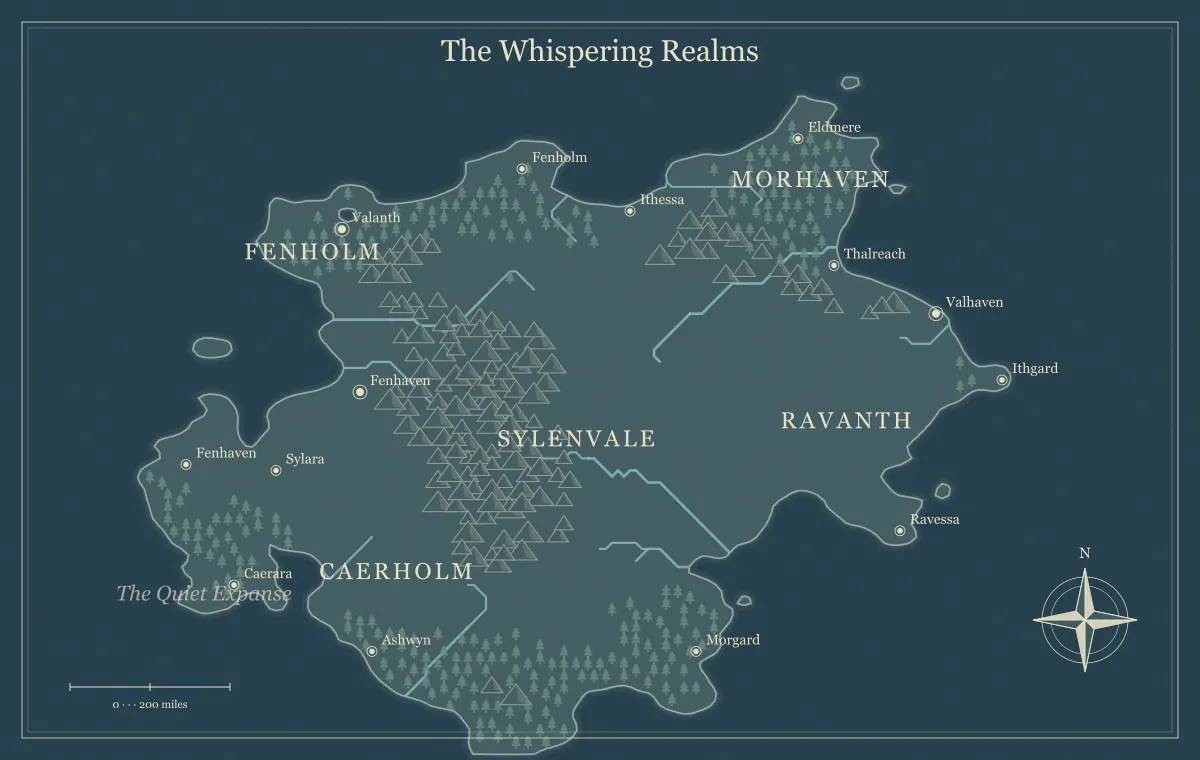
A fantasy world map gives a virtual tabletop group a shared sense of place. It can help players choose a destination, understand a journey, or remember where earlier sessions happened. Preparing it well means more than uploading the largest available image. Decide what the map is for, what information players should receive, and how the image will appear inside the tabletop interface. A geographic reference and a tactical encounter board have different jobs.
This guide prepares a fictional campaign map called the Lantern Coast. The group will use it to plan travel between three settlements and a mountain pass. The creator uses the fantasy map maker for the illustration, then handles page setup, visibility, markers, and other platform-specific features in the chosen tabletop application. This website does not connect directly to a tabletop account or create a complete configured scene.
Choose a reference role
Write down the map's immediate role before exporting. Lantern Coast is a travel reference. Players need to locate the port, inland town, pass, and destination. They do not need a room layout, miniature positions, or walls for an encounter. The broad map should communicate those relationships clearly while leaving detailed tactical preparation to a separate artifact.
A world map can also be used as a campaign overview or a narrative handout. In that role, an image shown in a reference panel may be more convenient than a map spread across a large tabletop page. The right presentation depends on how your group consults it. Test the intended arrangement rather than assuming every image should become the active scene.
The campaign world guide helps connect geography to play. Use that planning to decide what the tabletop map must show. A map whose purpose is clear is easier to simplify, export, and review than one expected to do every job at once.
Prepare the player edition first
Create a map edition containing information the players should know. Remove or otherwise exclude restricted names from the artifact you intend to distribute, and review the actual exported image. A creator's working map may contain secret sites, future destinations, or notes that are inappropriate for the group's current knowledge. Uploading it first and hoping to hide everything later creates unnecessary review work.
Lantern Coast's creator keeps a secret shrine in the private source but prepares a player image without that information. The player map includes a rumor-bearing ruin only because the characters already know about it. The distinction is based on audience knowledge, not simply whether a location is interesting. Save both editions with clear names and preserve the source behind each.
The player and game master map guide describes separate editions. Tabletop visibility features may provide additional controls, but their behavior must be checked in the chosen application. Do not treat a platform's hidden layer as a substitute for reviewing a handout that may be downloaded or opened outside the scene.
Check current platform requirements
Read the official documentation for the tabletop application and account you actually use. Accepted image formats, upload limits, storage arrangements, and permissions can differ. Roll20's Art Library documentation, for example, describes image upload methods, supported formats, account-dependent limits, and organization of uploaded assets. Use those current instructions for the actual account rather than assuming a rule from another platform applies.
This guide does not prescribe a universal upload size or promise that every application accepts SVG. Check the destination before choosing an export. A PNG or JPG may be a practical fixed image, while SVG may be useful earlier in an artwork preparation workflow. The generator's editable JSON is project data for this website, not a tabletop scene file.
Record the destination and the edition you will upload in your campaign notes. If the account belongs to another group member, agree on the handoff rather than assuming access to their library. A reviewed image can be sent to the person responsible for the tabletop setup, along with its intended role and audience.
Choose readable dimensions
Start with a raster export that gives important names enough detail for the expected display. This generator offers 1200 by 760 pixels at 1× and 4800 by 3040 at 4×, with intermediate multipliers. Larger dimensions can help when users zoom into names, but they also create more image data to handle. Examine the actual file and the destination's limits rather than automatically using the largest choice.
Lantern Coast is initially exported at 2× for a group test. Players can read the four important labels in the intended reference arrangement. If a label is physically too small within that arrangement, the creator may enlarge the text or simplify the map rather than only increase pixel dimensions. A high-detail file does not necessarily make the interface devote more space to the image.
The typography guide explains this design distinction. Review the map using a screen arrangement similar to the players' ordinary one, including the space occupied by chat, character information, and other panels. A full-screen creator preview can hide the difficulty of reading a map in a crowded tabletop interface.
Keep geographic and tactical grids distinct
A geographic coordinate grid is not automatically a battle grid. The generator's optional grid supports a map presentation, but the illustration is not a tactical encounter map with measured rooms, doors, movement spaces, or walls. A tabletop application's distance settings do not turn stylized mountains into individually playable obstacles. Decide whether the world map needs any tabletop grid at all.
For Lantern Coast, the group treats the map as a visual reference and records journey assumptions in notes. The creator avoids implying that every visible unit corresponds to a precise travel distance until a scale convention has been deliberately chosen. If a campaign uses hex travel, prepare and explain that overlay in the intended tabletop or editing workflow, then test it separately.
The scale guide helps establish fictional distance assumptions. Do not rely on a decorative scale or an imported image's apparent size as an automatic measurement system. State the convention players should use and distinguish it from the platform's tactical movement settings.
Preserve proportions in the destination
When placing the map, maintain its aspect ratio unless you have planned a crop. Stretching the image to fill a square or an unrelated page shape distorts coastlines, symbols, and names. A large empty margin may be less harmful than a distorted map. You can use the additional space for notes, a title, or other material if the tabletop arrangement supports it.
Check that the image placed in the destination is the intended export. A small thumbnail, old preview, or automatically renamed duplicate can be selected accidentally. Compare the title and distinctive edits with the approved image. The file's presence in the library proves that an upload exists, not that the correct edition is in the scene the players will see.
Use a short version identifier such as Lantern Coast player 02. Keep that identifier in the campaign notes and image filename where practical. A later map can then be introduced deliberately, while an earlier session remains understandable against the reference available at the time.
Handle markers and notes separately
Travel markers, character indicators, and clickable notes belong to the tabletop setup, not to the generator's exported picture. Decide what each marker means and who can move or see it in the application. A single group marker can indicate a broad location without suggesting that every party member's tactical position is represented on the world map.
Lantern Coast uses one group marker and a short route note. The creator explains that the marker shows the party's current region, while detailed travel conditions are handled in the session notes. Moving the marker across a mountain illustration does not bypass the fictional pass restrictions. The visual convenience supports discussion; the campaign's agreed travel rules still determine what happens.
If the group needs a clickable gazetteer, prepare the relevant entries in the tools available in the destination. Keep their names consistent with the image and source notes. The notebook workflow can provide the place summaries, but the website does not automatically upload or synchronize them into another application's journal.
Test what a player actually sees
Use the destination's appropriate preview or player-view workflow, following its current documentation, to inspect visibility and readability. Review the map, labels, markers, notes, and any associated handout. A creator view can include information hidden from players or show the map differently. An exported image review and a destination view review test different parts of the handoff.
Ask a player to find the starting port, the pass, and the next destination using the intended view. They should not need creator-only notes to interpret those basic relationships. If they cannot find a name, decide whether the problem is map typography, image placement, interface space, or the edition's information design. Fix the actual cause before the session.
Provide a short written summary of the important geographic relationships. It can help people who have difficulty interpreting the image, are viewing a small screen, or are listening while checking another part of the interface. A useful summary explains what places matter and how they connect without revealing information outside the intended player edition.
Keep session preparation small
Prepare the information the next session needs rather than filling the tabletop with every possible world detail. Lantern Coast's next adventure concerns a pass and the town beyond it. The creator checks those places and the route note, leaving distant island histories in the notebook. A manageable reference is easier to keep accurate than a large network of links prepared before the campaign needs them.
Before play, identify the current map edition and any changes from the earlier session. If a town was renamed for clarity, mention it plainly so players do not assume it is a different settlement. If the fictional world changed, distinguish that event from an editorial correction. The map should help the group remember events rather than introduce unexplained contradictions.
The between-session map workflow provides a practical review routine. Use the tabletop map as part of that routine while retaining the source and approved images outside the destination account. An uploaded copy is useful for play, but it should not become the only identifiable record of your creative work.
Prepare encounters separately
When the party reaches an encounter, use a suitable tactical map or another agreed presentation. The broad world illustration does not create an exact enlarged close-up of a settlement, cave, or pass. A new island or continent generation is also not an automatic matching detail map of an existing region. Record the important geography that the encounter must respect, then design its scale and layout separately.
For Lantern Coast, the pass encounter needs a narrow trail, a lookout, and a place where travelers can turn back. Those features follow the campaign notes, not individual mountain symbols copied from the world illustration. The creator can preserve the region's general identity while preparing a scene that serves tactical play at its own scale.
The frontier settlement guide helps develop location functions without pretending the geographic generator provides building-level layouts. Keeping those scales distinct avoids a confusing tabletop page where a whole town marker is treated as though it were a single room.
Release the Lantern Coast reference
The creator saves the compatible generator source, exports the approved player image, checks the destination's current requirements, and places the correct edition proportionally. The group marker and route note are configured in the tabletop application. A player-view review confirms the important places are readable and the intended secrets are not present in the distributed material.
The creator keeps a note identifying the uploaded edition and the session it supports. If an image limit or display problem appears, a simpler reviewed image remains available as a handout alternative. The session can proceed without redesigning the world while the technical arrangement is improved. The geographic reference remains useful because its purpose and audience were decided first.
Use the final review guide before distribution and return to the D&D map generator for supported map revisions. A good tabletop world map gives the group clear places, sensible connections, and a reliable edition to discuss. Platform setup then supplies the controls appropriate to the way you play.
Give the idea a world of its own.
Try the technique in the generator, then save an editable copy so you can return to your work.
Open the map maker ↗