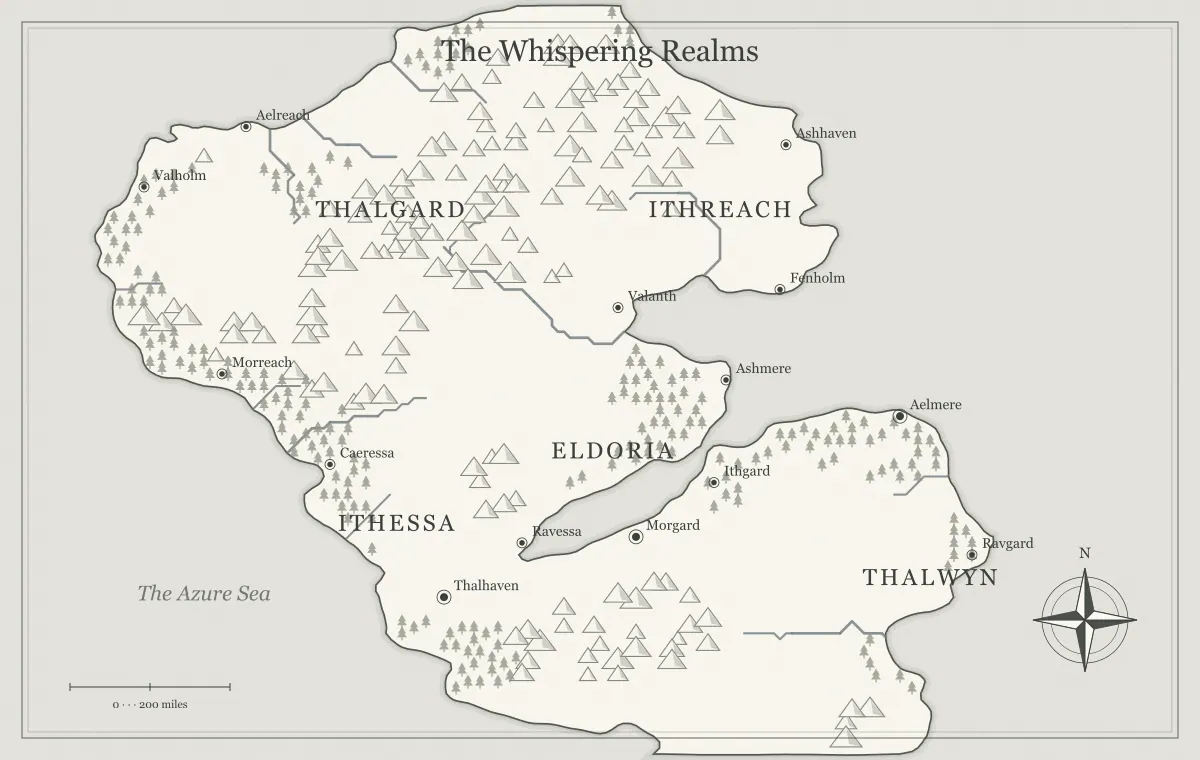
A seed is one of the most useful controls in a fantasy map generator because it gives a random-looking world a repeatable starting point. Instead of losing a coastline when you explore another idea, you can record the seed and return to the underlying generation process. This makes experimentation less risky and comparison more useful. You can change a style, test a different density, or build a second presentation while keeping a clear record of where the map began.
A seed is not a complete backup of every creative decision. The generator's settings, its version, and your manual edits also matter. This guide explains how to use seeds as part of a reliable workflow, where reproducibility ends, and how to organize alternatives without confusing them. Open the fantasy world map generator and choose a world you like enough to revisit. We will use the fictional project name Northmere for the examples.
What a seed actually controls
Procedural generation uses a sequence of calculated values to construct terrain and distribute features. A seeded random process begins from a specified input, allowing the same sequence to be produced again when the same algorithm and settings are used. The resulting landscape can appear irregular and natural while remaining reproducible. This is different from an artist manually drawing each bay or mountain, and it is different from a promise that every exported file will be identical forever.
Think of the seed as a starting instruction for the engine. It does not describe your intended story, the location of a secret ruin, or the meaning of a kingdom's name. Those details come from settings and edits you apply afterward. If you want to preserve the whole project, save the editable map file as well. The editable file guide explains why generation inputs and finished working data should be kept together.
Record the settings alongside the seed
A useful generation record includes the seed, map type, terrain controls, and any other settings that affect the output. Merely remembering a short seed value can be insufficient if you also changed the land amount or selected an island instead of a world. Keep a compact note rather than relying on memory. For Northmere, write the project name, chosen seed, world type, and the settings you considered important.
Also record which output you approved. A folder containing several images with the same seed can still be confusing if the settings differ. Label variations with a short purpose, such as northmere-coastal or northmere-player. The seed connects them to a common experiment; the version name identifies the particular result. For a broader planning method, the map maker fantasy workflow connects these records to labeling, storytelling, and final exports.
Change one meaningful variable at a time
Seeds make comparisons easier when you keep the other settings steady. If you are deciding between parchment and a darker presentation, use the same map and compare the styles at the intended viewing size. If you are deciding how much settlement detail belongs on a campaign overview, keep the terrain fixed and vary the visible information. That way, your judgment concerns the choice you are testing rather than an unrelated new coastline.
Some setting changes can also influence the generation itself, so do not assume every control is purely decorative. Inspect the output after each change. Make a small comparison sheet with two or three exports and a sentence about what you learned. “The second version has more room for coastal labels” is more actionable than “Version two looks nicer.” Choose a version because it supports your audience's task, then stop comparing once the decision is clear.
Explore new seeds with a selection rule
Random exploration can become endless if you have no criteria for accepting a map. Before generating more candidates, choose three requirements. For a sailing campaign, those might be a sheltered home port, several islands at different apparent distances, and open water where a route can be shown. For a novel, they might be a mountain barrier, two contrasting regions, and a plausible corridor for the main journey.
Generate a small set, perhaps five candidates, and compare them against those requirements. Save a thumbnail or note for promising results rather than keeping every image. A map that satisfies the story may be more useful than one with the most elaborate silhouette. The map type guide helps you choose the geographic frame before seed exploration, while controlled iteration explains how to move from candidates to one working draft.
Do not confuse generated names with permanent identity
A generator may produce labels as part of its initial output. Those labels are convenient for a first view, but your setting does not have to keep them. A seed can reproduce the initial choices under matching conditions, while manually renamed towns belong to your edited project. If the capital becomes Bellwater after you build its history, record that change in your name register instead of assuming the seed alone now represents it.
Keep geography and naming decisions separate in your notes. Geography can remain stable while the fictional culture develops. This is helpful when collaborators agree on the landscape but propose different names. Save the approved edit file before generating another candidate. The fantasy world naming guide shows how to maintain aliases, pronunciations, and label hierarchy without treating every new suggestion as a reason to regenerate the terrain.
Understand the role of software versions
Seeded output depends on the algorithm that interprets the seed. If a generator changes its terrain model, label placement, or random sequence, an old seed may produce a different result in the newer engine. That is a normal limit of procedural reproducibility. A seed is strongest as a reference within the same implementation and settings, rather than a universal code that every map tool can interpret.
For a world that matters to an ongoing campaign or publication, keep picture exports and editable files outside the browser. They preserve evidence of the approved map even if the application evolves. If you need strict archival consistency, the exported picture is the record of what readers actually saw. The editable file supports later work, while the seed explains the origin. Treat those three roles separately and you avoid expecting one small value to preserve an entire creative project.
Share a useful starting point
When you want someone else to inspect the same project, a full settings link is usually more useful than sending only the seed. It can communicate the relevant generator state in a form the recipient can open. Review the resulting map before sending it and explain whether you want feedback on geography, labels, or presentation. A specific question helps a collaborator give useful comments instead of generating a completely different setting.
Share links can include map settings and supported edits in the URL fragment. Anyone with the complete link may be able to use that data, so keep private campaign secrets and personal information out of the labels you distribute. A link is also editable by its recipient; it is not a locked approval record. For a fixed handout, send a picture too. See sharing map links for practical recipient and version checks.
Recover when the result does not match
If an old seed produces an unexpected landscape, begin with the ordinary causes. Check the map type, terrain settings, spelling of the input, and whether you reopened the intended project. Compare the new output against a saved image. Do not immediately rename everything to fit the mismatch; first determine whether you changed an input or loaded a different version. A clear generation note can resolve this quickly.
If you saved an editable JSON file, import it and inspect the result before continuing. The file may preserve settings and manual changes that were absent from your seed note. If only an image remains, you can still use that image as the authoritative campaign handout and create a new editable interpretation when needed. Describe the new project as a revision rather than pretending it is an exact reconstruction of every earlier procedural choice.
Make branches for genuine creative alternatives
A branch is a separate working version with a specific purpose. Northmere-player can contain public settlements and routes. Northmere-dm can retain concealed landmarks. Northmere-print can use a simpler visual style. They may share a seed and much of their geography while serving different audiences. Give each branch a clear label and save its own editable file so an accidental import does not replace the wrong working version.
Branches also help with substantial story alternatives. One version might show a region before a war, while another shows changed borders afterward. Preserve terrain where continuity matters, then edit the features the event affected. The campaign map update guide uses this approach for ongoing play. A version should document a meaningful difference; dozens of unnamed near-duplicates will make your archive harder to use.
Keep a lightweight seed notebook
You do not need a database to organize seeds. A plain text file with project names, generation inputs, approval dates, and links to saved files is enough for a small collection. Add one sentence explaining why you kept each world. “Suitable for a three-island pirate campaign” will be more useful later than an arbitrary rating. Delete disposable experiments from the notebook only after you know the approved versions are safely stored.
For larger settings, group entries by purpose rather than by random value. World overview, northern region, home island, and local adventure can each have their own procedural starting point. A regional map does not need to be a mathematically exact crop of the world map if you clearly reconcile major landmarks and scale in your setting notes. The worldbuilding notebook guide helps maintain that continuity across several views.
Use reproducibility to finish a map
The practical benefit of a seed is confidence to make decisions. Once you can return to a useful starting point, you can stop protecting every candidate and focus on one world. Choose the geography, save the inputs, edit the names, and prepare an audience-specific export. Keep a small number of alternatives only where a real unresolved decision remains.
Before considering the project finished, open the editable file and the final image once more. Confirm that they refer to the same approved world and that the filenames make sense together. Add the seed record beside them. The generator checklist provides a final review of settings, geography, and delivery. Repeatability should make a map easier to maintain, not turn worldbuilding into an endless search for a theoretically perfect random value.
Give the idea a world of its own.
Try the technique in the generator, then save an editable copy so you can return to your work.
Open the map maker ↗