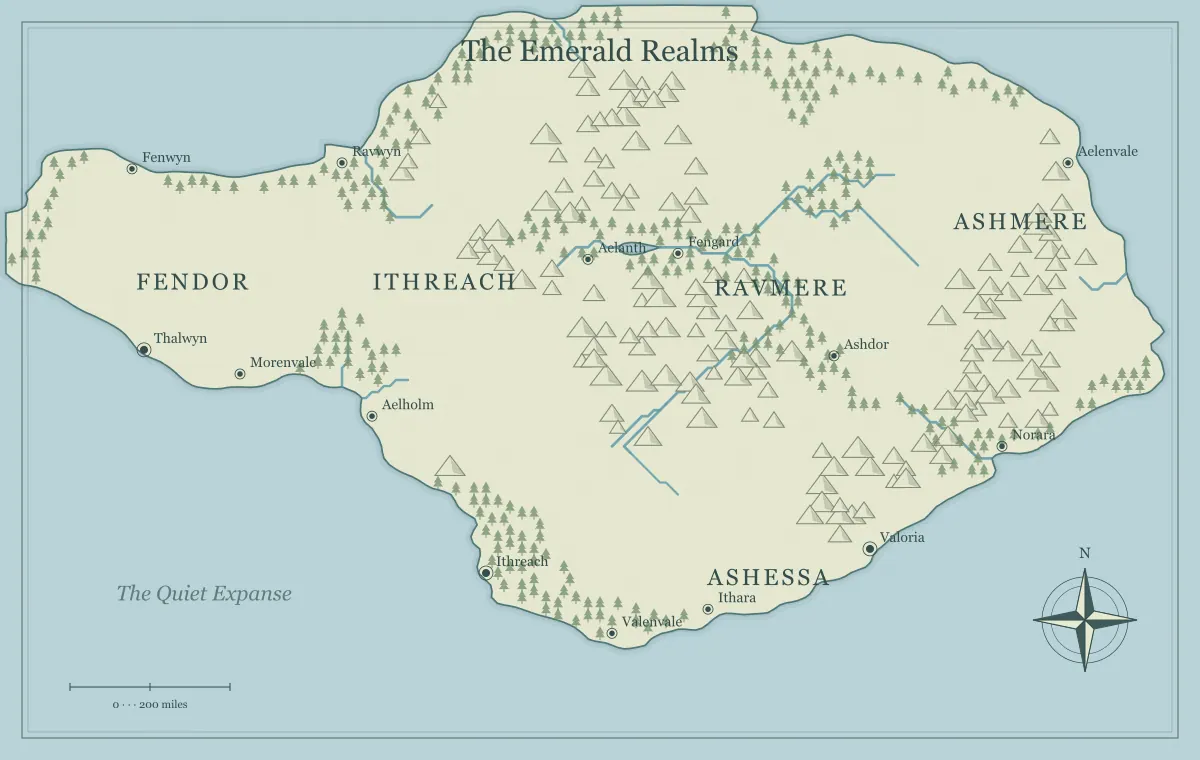
The first important decision in a fantasy map maker is not the color of the sea or the name of the capital. It is the scope of the drawing. A world overview, a continent, an island, and an archipelago answer different questions. Choosing the right type can reduce unnecessary work, improve readability, and give your story a landscape that supports the decisions you actually need to make.
This guide compares the four map types available in Map Generator Fantasy. It does not rank one as better than the others. Instead, it helps you match a type to the scale of your story, the amount of information your audience needs, and the movement that will matter in the project. The examples use fictional briefs so that you can adapt the method to a novel, a tabletop campaign, or a personal worldbuilding notebook.
Ask what question the map must answer next
Start with the next practical question in your project. “Which kingdoms lie across the ocean?” asks for an overview. “How can the characters cross this region?” asks for a more focused landscape. “What can the party reach before the session ends?” may be answered by a single island. The map should make that question easier to explore without requiring a dozen unrelated decisions.
Write the question above a short list of necessary locations. If you need five widely separated cultures and several seas, an overview is useful. If you need one port, a dangerous crossing, and a ruined tower, a smaller map may be more effective. This brief also gives you a way to reject a generated outline. A map can look attractive and still be the wrong tool for the question you are trying to answer.
Use World for relationships across a broad setting
A world map helps you think about distant landforms, broad political relationships, and journeys whose destinations are far apart. It gives a story room for places that remain offstage. In a novel, the overview can establish that the familiar kingdom is only one part of a larger setting. In a campaign, it can show where explorers might travel after the starting region has become well known.
Keep the information broad. Label major realms and important seas rather than trying to document every village. A world overview is a reference for relationships: who is nearby, who is separated by water, and what might lie beyond the horizon. If you begin adding local inns, individual ruins, and every road, the overview can become crowded without becoming more useful. Save those details for a separate regional drawing or companion notes.
Use Continent for a connected regional journey
A continent map is a strong starting point when most of the story happens on one broad landmass. It lets you compare coasts, interior terrain, settlements, and distant regions while keeping the drawing focused. A campaign that begins in a harbor and later crosses a mountain range can use a continent as a working canvas without requiring a detailed account of the entire planet.
Think in terms of routes and contrasts. Where does the familiar starting region end? What terrain makes a different region harder to reach? Which settlements connect those places? The landscape can suggest a network of journeys, but you still decide their meaning. The guide to building a campaign world shows how to choose a starting settlement, nearby danger, and distant promise within this broader scope.
Use Island when a visible boundary helps the story
An island gives the setting a clear outer edge. That is useful for a one-shot adventure, a short novel, a survival story, or a mystery where the audience should understand the limits of the available territory. The sea can make arrival and departure meaningful events. The island can feel complete without requiring you to define what exists on every neighboring continent.
A boundary does not need to remove choice. Characters can approach the island from different shores, travel along the coast, or cross the interior. A sheltered harbor and an exposed landing beach can create different starting conditions. Keep enough open space for discoveries that were not planned in advance. For a small adventure, the question is often whether the audience can grasp the setting quickly, not whether the island contains the largest possible number of places.
Use Archipelago when the space between places matters
An archipelago is useful when voyages and connections between islands are part of the setting. Each island can have a distinct role: a trading port, a source of timber, a religious center, or a remote ruin. The water between them creates opportunities for difficult passages, interrupted communication, and discoveries that are visible on the map but not yet understood.
Do not treat every island as a duplicate adventure location. Give several islands different relationships to the same larger problem. A shipyard depends on materials from another island. A distant beacon helps vessels reach the main port. A disputed passage changes who can travel safely. The guide to connected archipelago geography develops this approach. The islands become a world because of their connections, not merely because many separate shapes appear on the page.
Match the scope to the length and rhythm of the project
A short project often benefits from a limited map because the audience can learn the setting without stopping the story. A long project can support a larger overview, but the overview does not have to be equally detailed everywhere. You can establish one well-developed region and leave the rest as a framework for later journeys. This keeps preparation proportional to the material you expect to use.
Consider the rhythm of movement as well as the total length. A long novel that stays in one island community may still need an island map. A short story about a voyage between distant cultures may benefit from a world overview. Scope is about the information the map must convey, not a rule that long stories require large maps. Let the physical questions in the narrative guide the choice.
Separate overview information from scene detail
A regional geographic map is not the same thing as a tactical battle map or a diagram of a single building. The map maker illustrates terrain, places, and broad relationships. It does not generate a room-by-room dungeon or a square-by-square encounter grid. Keep these layers separate when planning what the audience should receive.
You might use a continent map to show the journey toward a fortress, a regional sketch to show its surrounding valley, and a separate encounter map for a fight inside the walls. Each drawing has a different question to answer. Expecting the continent overview to show furniture or exact room dimensions makes it harder to read while still failing to provide the precision of a dedicated encounter plan. The field note on map-maker capabilities and limits explains this distinction in more detail.
Understand that separate map types are independent generations
Switching from World to Continent does not automatically zoom into a landmass from the existing world overview. Changing the type creates a different map using the selected type’s generation rules. A region made separately can support the same fictional setting, but its coastline will not necessarily match an area of an earlier overview point for point.
If exact nested geography matters, keep the existing map as the baseline and develop the close-up in an appropriate drawing or design workflow. If a looser match is enough for the story, choose a regional outline with similar visual characteristics and explain its relationship in your notes. Avoid presenting two independently generated drawings as exact different-scale copies. Understanding this limit early prevents unnecessary frustration when the project begins to need closer views.
Consider what the audience needs to know
The creator’s working map and the audience’s reference map can differ. You may need names for distant realms that will not appear in the first chapter. Players may need only the starting port and the route they have heard about. A reader-facing map can simplify the same geography so that the important story places remain easy to find.
Ask what the map should explain and what it should leave open. A world overview can support curiosity without listing every answer. An island player handout can show the coastline while leaving interior names hidden. The map maker’s label visibility control helps create an unlabelled version, but more selective information may be better managed through a separate copy or companion notes. Plan the audience’s version instead of sharing every preparation detail by default.
Compare map types with one fixed brief
When you are unsure, test two types against the same brief rather than browsing randomly. Suppose the story follows a courier who must reach a coastal observatory. Generate a continent and an island. On each map, mark a starting place, an obstacle, and the destination. Write one sentence describing the journey that each landscape suggests.
The island may create a compact mystery with a clear boundary. The continent may suggest a longer road story with several competing routes. Neither outcome is wrong. Choose the one whose journey matches the project. Keep an editable copy of the alternative if it contains a useful idea, but do not maintain two full settings out of obligation. A comparison is successful when it helps you make a decision and move forward.
Keep scale notes separate from visual assumptions
A large landform on the screen is not automatically a large territory in your fictional world. You decide the story’s scale. The generator’s scale bar is illustrative, so use it as a reference rather than a surveying result. Write the travel assumptions that matter: how long a common route takes, what transport is available, and which seasons change movement.
These notes can be short. “The harbor to the pass is two ordinary travel days in fair weather” may serve a campaign better than an elaborate distance calculation. If you need precise project dimensions, set them deliberately and verify them in the tools you use for measurement. The guide to fantasy map scale and distances helps separate visual scope, fictional travel, and the dimensions of the exported image.
Decide, save, and leave room to grow
Once a map type supports the brief, save a working version before adding extensive detail. Record why you chose it. That note can prevent an attractive new outline from distracting you later when the original map is already serving the story. Keep the seed and settings with the editable file, and use a clear project name so the map remains easy to retrieve.
You can create other maps as the project develops. A later voyage may justify an archipelago overview; a regional storyline may need a focused continent map. The first decision does not lock every future choice. It gives the current work an appropriate canvas. The useful type is the one that makes today’s story questions easier to answer while leaving tomorrow’s discoveries possible.
Give the idea a world of its own.
Try the technique in the generator, then save an editable copy so you can return to your work.
Open the map maker ↗