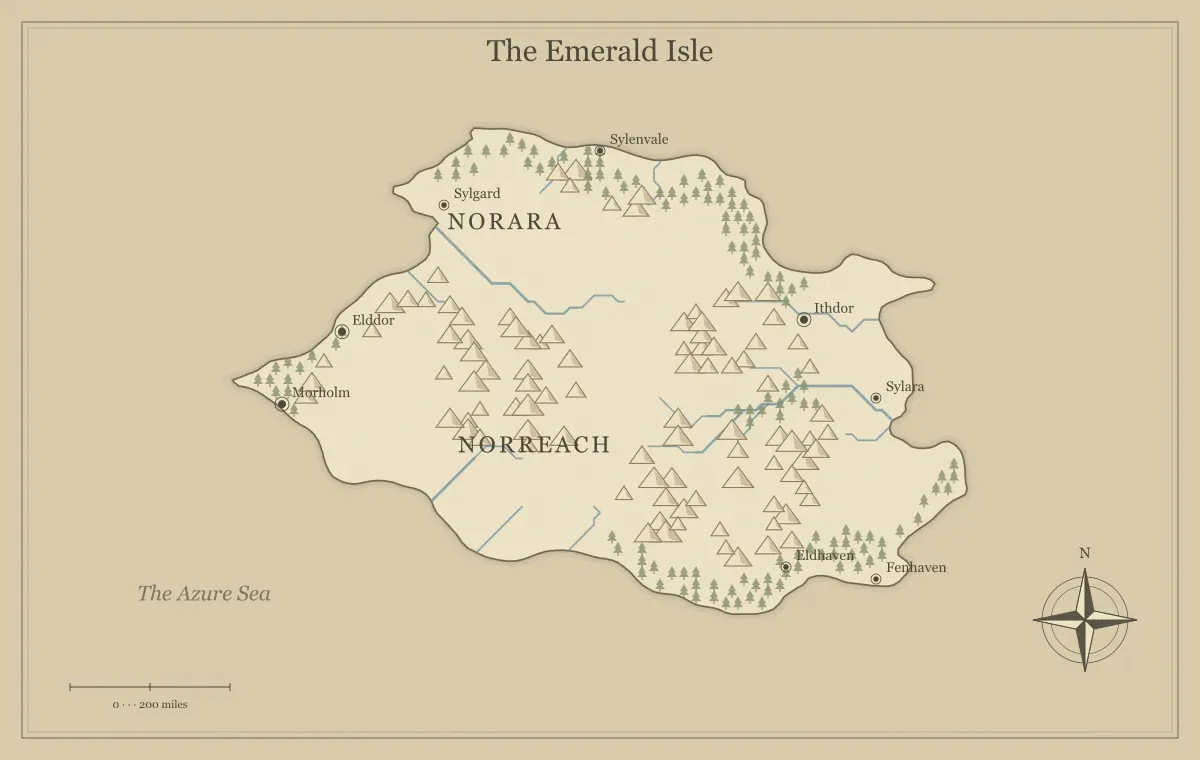
A coastline is often the first part of a fantasy map that catches the eye, but its value goes beyond an interesting silhouette. Bays, headlands, river mouths, and nearby islands can explain where people settle and how they travel. They can also create choices: a sheltered landing versus an exposed approach, a long coastal route versus an inland shortcut, or a port connected to farmland versus one dependent on imported supplies. A useful coast suggests relationships the story can use.
This guide develops an original region called the Morrow Coast with the fantasy map maker. We will choose a generated outline, interpret several important features, and prepare a readable overview. The browser editor does not provide unrestricted point-by-point coastline drawing. If you need detailed custom geometry, use a suitable exported vector workflow. The focus here is making deliberate creative decisions from the geography the generator supplies.
Decide what the coast needs to support
Write the coast's role before judging its shape. A trading region needs useful relationships between ports and inland resources. A secluded refuge needs limited access and a reason to remain apart. A nautical campaign needs several destinations and alternative passages. An intricate outline is not automatically better for any of those purposes. The most useful coast is the one whose large relationships support the project.
For the Morrow Coast, the purpose is connecting a river port to an offshore beacon island and an inland market. That brief needs a river mouth, a usable coastal base, and a visible island relationship. It does not require every small indentation to become a named harbor. The map type guide helps choose a geographic frame, while the workflow guide turns the brief into a staged project.
Read the outline at several scales
Start with the whole silhouette. Can you recognize the major coast, peninsula, or island group without studying tiny details? Then inspect the features likely to matter: a bay, river mouth, and headland. Small irregularities can add character, but they should not obscure the broad arrangement. A coastline seen as a thumbnail needs a simpler visual message than one examined closely in a large illustration.
Generate a limited set of candidates and compare them against the brief. Save a promising outline before exploring another. If a candidate has the essential relationships, naming and presentation can improve its usefulness without demanding a perfect random result. The seed guide explains how to record the starting point, and controlled iteration helps separate a structural coastline problem from a local label problem.
Give bays a purpose without assuming every bay is safe
A bay can suggest a landing or port, but the outline alone does not tell you its depth, currents, seabed, or exposure under every condition. For fiction, decide which of those factors matter and establish the useful assumptions. Morrow Bay can be the region's ordinary cargo landing because local crews know its approach and maintain a quay. That is a setting decision, not a measurement supplied by the generated image.
Use contrasting coastal sites to create choices. The main bay offers services and inspections, while a smaller landing farther north offers privacy but little shelter or repair support. Those differences connect geography to decisions. The travel route guide develops route tradeoffs, and city placement explains why a port needs more than a favorable-looking dot on the shoreline.
Use headlands as visible reference points
A prominent headland can help orient a fictional chart and provide a location for a beacon, lookout, shrine, or defensive station. Decide why its height or position matters to people in the setting. On the Morrow Coast, Grey Point overlooks the approach between the bay and beacon island. That gives the site a function connected to navigation and observation rather than treating it as another arbitrary ruin.
Keep the main headland name short enough to read on the overview. Detailed local features can remain in a closer illustration or location note. If its position matters to a journey, explain that relationship in the accompanying prose. The landmark guide helps attach history and a present situation to the site, while label typography keeps coastal names clear of crowded lines.
Connect river mouths to inland geography
A river mouth links the coast to the drainage and settlements inland. It can explain why goods gather near the sea and why a crossing farther upstream matters. Where rivers meet the ocean, estuarine environments can involve mixing fresh and salt water and changing conditions. NOAA's estuary explanation provides real-world context; your fictional map still needs its own scale and local assumptions.
For Morrow, the river carries grain from the inland market toward the port. The lower river may require local knowledge and suitable boats, while a road provides another connection. Avoid treating every river line as automatically navigable for every vessel. The river design guide examines watersheds, crossings, and route interpretation. The coast becomes more useful when its river mouth belongs to a wider network instead of serving only as visual decoration.
Use tides and changing shore conditions selectively
Coastal conditions can change over time. Tides are one real-world mechanism, and their patterns vary rather than following one identical schedule everywhere. NOAA's tides resource introduces those differences. For a fantasy setting, choose whether tidal access matters to the story and describe it consistently. You do not need to construct a detailed tidal model for a map whose purpose is simply regional orientation.
A tidal causeway can create a timed connection to an island. A landing usable only under certain conditions can influence transport. Establish how locals learn and manage those conditions, and give travelers relevant information before a choice. Avoid using a changing shoreline only to invalidate an audience's plan unexpectedly. The map and notes should make the important constraint understandable while leaving room for weather and uncertainty within your fictional assumptions.
Make nearby islands part of the coastal system
An offshore island can support a beacon, a refuge, a resource, or a separate community. Decide which role explains its connection to the coast. Morrow's beacon island matters because ships pass between it and Grey Point. A second island might provide an alternative landing during a dispute at the main port. Their functions make the sea passage part of the world rather than an empty gap.
Keep the group hierarchy clear. A regional name can describe the offshore chain, while individual island names identify specific destinations. Leave minor rocks unnamed until they matter at the scale of your project. The archipelago guide explains connected island groups, and island shapes compares frames for different stories. The important question is what someone can do or learn at a particular island.
Give coastal settlements different relationships
Not every coastal town needs to be a major port. One might process fish, another store grain, and another repair boats. Their locations and routes can explain these roles. Morrow Bay handles public cargo, Reedhaven supplies food, and Grey Point supports the lookout. Those distinctions help readers remember places and provide reasons for people and goods to move among them.
Ask what each settlement receives from inland and what it sends outward. A coastal city may depend on a valley road or a river crossing far from the sea. If that connection fails, the consequences can reach the port. The trade route guide develops these dependencies, while frontier settlement design uses similar reasoning for services and supply. A coast feels inhabited when its towns belong to a network.
Separate political control from the shoreline
A coastline is a physical feature, while political control can change without moving it. A realm may claim the whole shore but operate only a few ports and stations reliably. Independent communities can use remote landings within the claimed region. Decide what control means in your setting and avoid presenting every stretch of shore as equally administered merely because it lies inside a named kingdom.
Show the important public places and explain disputed access in text when it matters. A patrol route, a fee agreement, and ownership of a quay are different relationships. The border guide and faction guide help distinguish them. This gives the coast political texture without requiring a complicated overlay that obscures the very shoreline the map is meant to explain.
Keep coastal labels readable
Coastlines create many potential collisions between land names, water names, town labels, and symbols. Prioritize the places your audience needs first. Put the main port name in open space where the editor allows, keep the sea name visually secondary, and avoid filling every bay with long text. A ceremonial harbor title can remain in the notebook while the overview uses a clear common label.
Inspect the map at the destination size. A label placed carefully in close-up may still look crowded in a small handout. The naming guide supports short, distinct names, and art styles connects palette choice to contrast. Readability often improves through a few local edits rather than another attempt to generate a more elaborate shore.
Know when the outline needs an external revision
If your project requires a particular bay shape, a precisely matching regional crop, or detailed shoreline construction, the current browser controls may not provide that geometry edit. You can choose another candidate, reinterpret the story, or use an exported SVG in an appropriate external vector workflow. Preserve the original and record substantial changes so your map set and notes remain consistent.
Do not assume that every newly generated region will automatically match a close-up of an earlier world. The tool limits guide explains that distinction. An external revision can be useful, but it becomes part of your project rather than something the seed alone recreates. Keep the edited source and approved image alongside the generator's working file when all three are needed for future maintenance.
Review the Morrow Coast as a usable place
Before export, identify the port, river connection, headland, and beacon island. Explain why each matters and how someone moves between them. If the map supports those relationships clearly, minor shoreline details can remain atmospheric. Open the actual exported image and inspect the frame and labels at ordinary size. The export guide covers format and print checks.
A strong fantasy coastline gives the audience reasons to explore and understand the setting. Morrow's bays and islands matter because they connect services, routes, and decisions. The generated outline provides a visual beginning; deliberate interpretation makes it a coherent coast. Keep the approved version recoverable, and let future additions answer specific story questions instead of naming every indentation merely because it appears on the image.
Give the idea a world of its own.
Try the technique in the generator, then save an editable copy so you can return to your work.
Open the map maker ↗