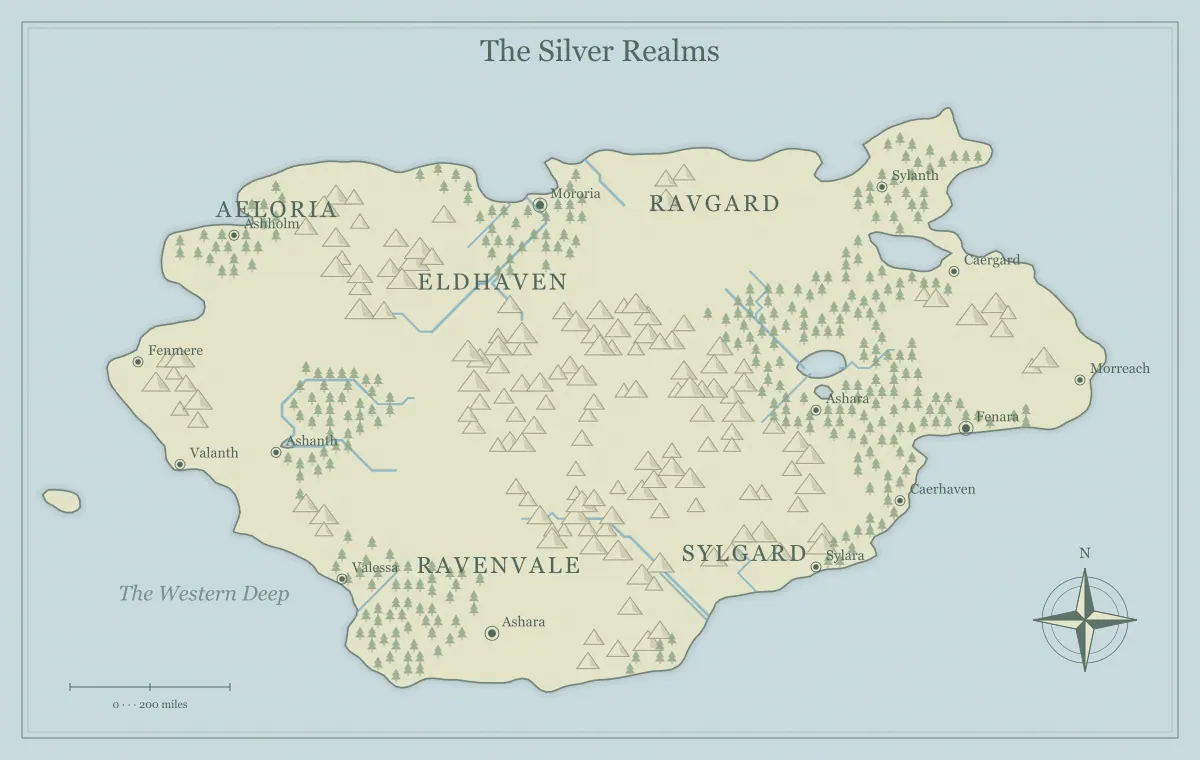
A free fantasy map maker is a useful starting point when you want a world you can shape without turning the first draft into a major investment. The practical challenge is deciding what to do after the terrain appears. A coastline alone does not tell you where a story begins, which settlements matter, or how to prepare an image for readers. Your first world becomes easier when you work through a small set of decisions in a clear order.
This tutorial creates a fictional setting called the Lantern Reach. It is deliberately small: one coastal region, two inland valleys, a harbor, and a nearby island. You can follow it using the free fantasy map maker, substituting your own names and story needs. The aim is an original, readable first draft that you can save and expand. You do not need to explain the entire planet before one region becomes useful.
Write a one-sentence purpose
Begin with a sentence that describes what the map should help someone do. For a campaign, “Players can choose how to reach a missing lighthouse keeper” is a practical purpose. For a novel, “Readers can follow the journey from the harbor to the winter valley” is another. A purpose guides the map's scope and the amount of detail you include. Without it, every possible coastline can look like an equally valid reason to restart.
For the Lantern Reach, our sentence is: “This map introduces a coastal region where a closed mountain road has shifted trade onto the sea.” That gives us a coast, a barrier, a port, and a reason for the island to matter. It also suggests relationships between settlements. Keep the sentence beside the editor and use it when judging candidates. The beginner's generator guide offers a broader introduction to these first decisions.
Choose an appropriate geographic frame
A world, island, and archipelago create different expectations. A world view suggests large-scale travel and political relationships. An island gives a setting clear outer limits and makes the coastline central. An archipelago introduces separation, ports, and nautical routes. Choose the frame that supports your purpose rather than the one that appears most elaborate. A contained island can hold a rich story without needing a continent-sized map.
The Lantern Reach uses a coastal regional view because its important relationship is between inland routes and a harbor. If you prefer a closed adventure area, use the island map generator and reinterpret the mountain road as a path across the island. If the story centers on several competing ports, choose the archipelago generator. The map type comparison explains how each frame changes movement and preparation.
Select a candidate with room to grow
Generate a small number of candidates and look for usable relationships: a harbor near a river, an inland area separated by hills, and open space where labels can sit. Do not search for a flawless map. A first world needs enough structure to begin and enough flexibility to revise. If a candidate has the essential features, save it before testing another so you can return without guessing what you changed.
Reject candidates for concrete reasons. “The coast leaves too little room for the main town labels” is a useful observation. “It does not feel perfect” is difficult to act on. Keep perhaps two finalists and compare them at ordinary viewing size. Then choose one and stop generating until a specific problem appears. The seed guide explains how to record the starting state and separate the selected map from later variations.
Interpret the terrain through cause and effect
Look at the landscape as a set of opportunities and constraints. A river can support transport and farmland. A mountain ridge can redirect a route. A sheltered coastal inlet can support a port, while an exposed headland might hold a beacon. These interpretations connect geography to the purpose of your world. They do not require a complete geological simulation, but they should make the main relationships understandable.
In the Lantern Reach, the ridge separates the harbor from the winter valley. The road crosses at a narrow pass. When that pass closes, goods travel downriver and onward by boat. This simple chain explains why the port has grown and why the island's navigation beacon matters. Write the chain in a few sentences before adding more landmarks. If rivers dominate your setting, river design helps you review drainage, crossings, and practical travel relationships.
Place a few settlements with distinct roles
Your first draft does not need dozens of towns. Choose a home settlement, a contrasting destination, and one smaller place along a route. In our example, Lantern Quay is the coastal port, Valehold is the inland market town, and Reed Ferry controls a crossing. Their roles give readers reasons to remember them. If every settlement is merely another dot, adding more names will not create a stronger setting.
For each town, note what arrives, what leaves, and what makes people stay. Lantern Quay receives grain and ships preserved fish. Valehold gathers timber and wool from the valley. Reed Ferry earns its living from travelers and boat repairs. These functions suggest characters, conflicts, and visual details. Review fantasy city placement if a settlement seems disconnected from water, resources, or the movement network you want to show.
Create a short naming system
Name the important features before the minor ones. The harbor, main river, ridge, and island are enough for the first pass. Use names that are easy to distinguish in conversation, especially if people will discuss the map during a game. Lantern Quay and Valehold have different beginnings and rhythms; Lantern Quay and Lantern Vale would be easier to confuse. Consistency can come from a shared cultural pattern without making every word nearly identical.
Keep a separate name register so the map does not have to carry every explanation. Record the label, feature type, and a short origin or association. The island might be called Gull Rest because seabirds nest above its sheltered landing. The ridge might be the Greyback because it appears pale from the harbor. The naming guide and fantasy name generator offer ways to build and test a short list without inventing an entire language.
Add the relationships the audience needs
A map's useful content includes relationships, even when every route is not drawn as a separate line. Describe how someone travels between the main places and what makes that journey difficult. Lantern Quay to Valehold can follow the river and then a valley road. The island requires a boat and a landing that is safe only in favorable conditions. The closed pass offers a shorter but uncertain alternative.
Keep travel claims proportional to what you know. If you have not established a scale, use relative descriptions such as nearby, across the ridge, or beyond the next river bend. Avoid assigning precise distances from the picture alone. Decide the units and travel assumptions in your notes first. The scale and distance guide explains how to keep geographic size separate from travel time, which depends on terrain, transport, and conditions.
Choose style for readability
Try a style that fits the map's destination. Parchment can suit a story handout, while a clearer atlas presentation may work well for explaining regions. A dark map can be comfortable on screen, but a dark website theme does not mean every exported map must use a dark palette. The interface appearance and the artwork style are separate choices. Select each according to the person who will use it.
Compare labels, coastlines, and rivers at the final size rather than judging only the largest preview. A textured background can add mood but should not compete with the information. If you plan to print, test the actual output before producing multiple copies. The art style guide connects palette choices to contrast and audience, while monochrome printing helps when ink use and grayscale readability matter.
Save a working copy under your control
Before sharing the first world, download its editable JSON file. Browser storage is convenient for recent work, but clearing storage or moving to another device can remove that convenience. A saved file is a deliberate backup you can organize with your notes. Keep the file in a project folder and name it after the map's purpose, for example lantern-reach-first-draft.json.
Also export a picture so you can compare future versions against the approved appearance. The working data and picture serve different roles: one supports continued editing, the other records what the map looked like. If you make several experiments, keep the useful versions and explain their differences in a short note. The editable file guide provides a simple import-and-check routine for confirming that your saved project is actually recoverable.
Prepare a useful first handout
Decide which details belong in the first public version. A campaign handout can show the harbor and road while leaving the hidden island cellar in your private notes. A novel map can show the places readers need without revealing the destination of a late twist. Remove information deliberately, and inspect the exported image to ensure symbols and captions do not reveal what the labels omit.
Choose PNG, JPG, or SVG according to the receiving application and the appearance you need. Open the actual downloaded file, check the title and main labels, and view it at ordinary size. Include a short caption or introduction when you send it so the recipient understands the map's purpose. The export guide explains dimensions and format checks; a clear first handout is more useful than an enormous file without context.
Expand from a specific unanswered question
Your first world is ready when someone can identify its important places and understand a meaningful relationship between them. Expansion should answer a real question raised by the story or play. If the group asks who controls the northern harbor, develop that region next. If a chapter needs a winter crossing, work on the pass and valley. Do not populate every blank area merely because it exists.
Keep a short list of unresolved questions beside the working file. Prioritize those that affect the next scene or decision. The Lantern Reach can later gain neighboring realms, older ruins, and distant trade partners, but the initial coast already supports movement and conflict. A free fantasy map maker gives you the terrain; a focused sequence of choices turns that terrain into a world you can use, maintain, and make distinctly your own.
Give the idea a world of its own.
Try the technique in the generator, then save an editable copy so you can return to your work.
Open the map maker ↗