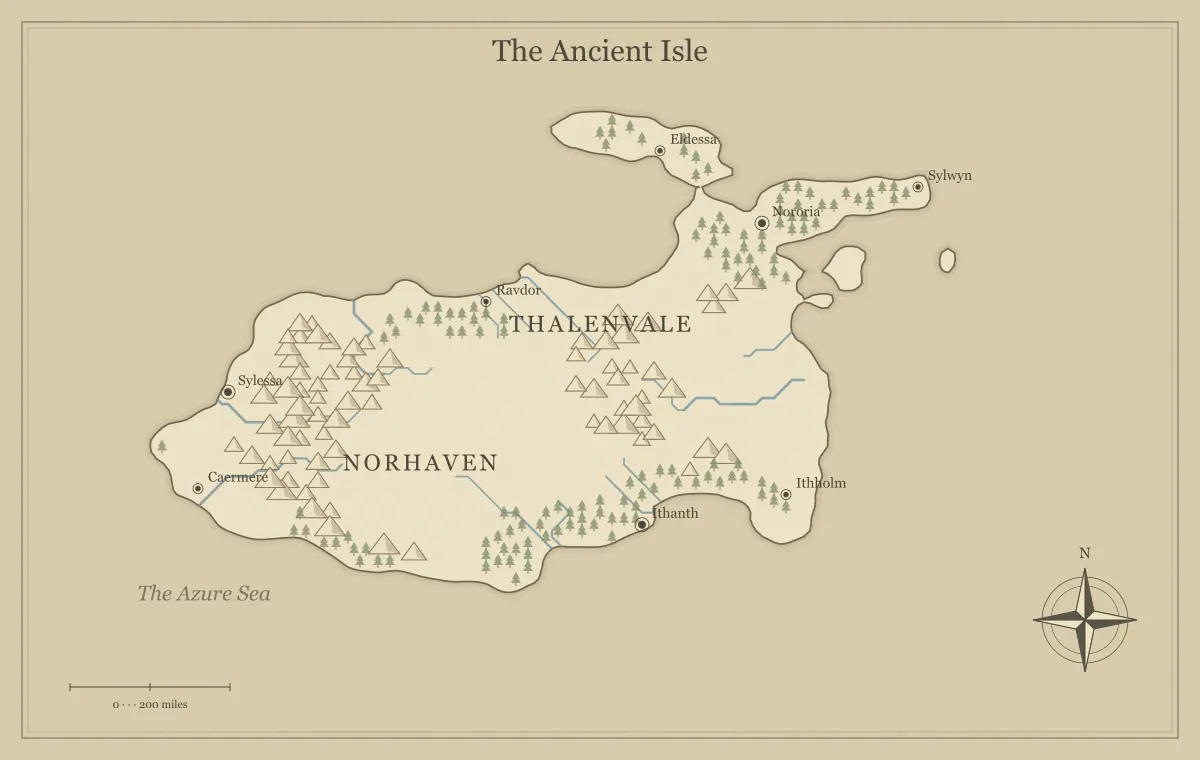
Choosing an art style in a fantasy map maker changes how a reader approaches the world. A pale parchment map may feel like an inherited chart, while an atlas palette can suggest a clear geographic overview. A dark presentation can suit a mysterious setting on screen. These associations matter, but they are only part of the decision. The map still has to communicate its coastline, important places, and relationships at the size where people will use it.
This guide compares the generator's Parchment, Classic atlas, Black & white ink, Watercolor, and Nightfall styles through a single fictional region, the Amber Strait. Keeping the geography steady lets you judge presentation rather than accidentally choosing between different worlds. Open the fantasy map maker, save a useful draft, and try the available styles against a real destination such as a handout, a novel illustration, or a campaign screen.
Choose a purpose before a mood
Write down what the audience should learn from the map. If players need to compare two routes across the Amber Strait, the ports, channel, and nearby islands should be easy to recognize. If readers need only a broad introduction to the setting, atmosphere can carry more of the design. These are different jobs, and a style that succeeds at one may need simplification to succeed at the other.
Also identify the destination. A large screen can display subtle color relationships that disappear in a small print. A grayscale printer can flatten colors with different hues but similar brightness. A background that looks richly atmospheric may consume substantial ink. The map maker fantasy workflow places style after geography and audience decisions, so you can choose it with a stable set of information to present.
Parchment: warmth and an older-chart impression
Parchment uses warm land and sea colors with restrained brownish lines. It is a useful starting point for a fictional chart, a historical-feeling setting, or a handout that should look like an object within the story. On the Amber Strait, it can suggest a chart assembled by merchants over time. The appearance supports that fiction without requiring the map to contain a manufactured history in every label.
Check the smaller labels carefully. Warm, muted colors can look gentle while making some terrain or text less prominent than you expect. Keep important names dark enough to stand apart from nearby symbols. If you print several copies, test the background and decide whether the extra tone improves the handout enough to justify it. Parchment is an aesthetic choice, not evidence that a map is physically aged or that its geography is historically researched.
Classic atlas: a clear geographic overview
The atlas style separates land and water with cooler sea colors and a relatively clear geographic appearance. It works well when the main task is orientation: finding a port, identifying a major river, or understanding where a kingdom sits relative to the coast. For the Amber Strait, the water channel becomes an obvious organizing feature. Readers can begin with the land-water relationship before investigating minor landmarks.
Use that clarity to support information hierarchy rather than filling every available space. An atlas-like palette can still become crowded if labels and terrain symbols compete equally. Decide which places deserve emphasis and which can remain unnamed on this version. The label typography guide explains how size, placement, and contrast distinguish regions from towns. Clear colors do not replace a clear editorial decision about what the map should show.
Black and white ink: simplify without losing meaning
The ink style uses a restrained near-monochrome palette. It is useful when you want an understated illustration, a draft that emphasizes structure, or a starting point for grayscale printing. On the Amber Strait, you can judge coastline shape and label placement without a strong color mood distracting you. This makes it a practical review style even if your final artwork will use a different palette.
Do not assume that selecting an ink palette automatically creates an ideal production print. Thin lines, small labels, and pale terrain still need inspection at the actual output size. If different categories depended on color, they may need a different explanation or arrangement. The black and white map guide focuses on preserving distinctions through hierarchy and placement. A real test print remains more informative than a grayscale preview viewed close to a monitor.
Watercolor: a softer invitation to explore
The Watercolor option uses a softer palette to give the map a gentle illustrated character. It can suit a story introduction or a region where the broad shapes matter more than detailed political information. On the Amber Strait, the sea and land can feel less severe than in a strongly contrasting chart. This is a visual treatment implemented by the generator, rather than a claim that an artist has painted every output by hand.
The main risk is allowing softness to obscure essential information. Inspect the major river, port names, and boundary of small islands. If those features need more emphasis, adjust supported labels or choose a different presentation for the information-heavy version. A soft overview and a clearer reference map can coexist. Your audience does not have to use one style for every purpose, provided the geography and names remain consistent across the versions you distribute.
Nightfall: a screen-oriented dark presentation
Nightfall uses darker land and water colors with lighter ink. It can create a strong atmosphere for a nocturnal, nautical, or mysterious setting. The Amber Strait might become a chart discussed aboard a ship at night. More practically, the contrast relationship is reversed: important text needs to remain visible against a dark field, and small terrain marks can merge if their tones are too close.
Check Nightfall on the screens your audience actually uses. A dim display and a bright phone can produce different impressions of subtle dark colors. If the map will be printed, consider a separate light version and inspect both outputs. Website dark mode is independent of the map's art style. The site can open with a dark interface while your exported artwork remains Parchment, Atlas, Ink, or Watercolor according to your selection.
Compare styles without changing the experiment
Use the same seed, map type, and relevant terrain settings when comparing presentations. Otherwise, an appealing island arrangement may influence your judgment about the palette. Save a working file first, then create a small set of image exports with descriptive filenames, such as amber-strait-atlas and amber-strait-ink. Place them at the same display size when reviewing them so one version does not gain an advantage merely by being larger.
Write a concrete reason beside each candidate. “Port labels remain clear in a small handout” is useful. “This looks more expensive” is not a reliable criterion for a map's job. If a style change alters other visible features in the current engine, inspect those changes too rather than assuming it is purely cosmetic. The seed guide explains how generation inputs, manual edits, and saved versions work together.
Evaluate the information hierarchy
Start with the title and the most important places. They should be recognizable before the viewer studies every forest symbol. Next, check regional names and major physical barriers. Finally, inspect secondary towns and optional decorations. This sequence helps you determine whether a style supports the hierarchy or makes all elements compete at once. A readable hierarchy gives the audience a clear path into a complex image.
For the Amber Strait, the two main ports and the strait name come first. Minor islands can use smaller labels, and the compass can remain a supporting element. If a realm label overlaps several settlements, move or shorten it where the editor allows. The landmark and label editing guide covers local corrections. Changing the whole palette is sometimes useful, but it will not resolve every collision or overly long name.
Do not make color the only explanation
Color can reinforce a distinction, but a reader should not need to identify a subtle hue to understand the map's central information. Land and water should differ in shape and contrast. Important places need text or recognizable markers. If you describe political regions in surrounding prose, name them clearly rather than saying only “the green area” and “the brown area.” That description remains useful when the image is printed or seen differently.
For a web publication, provide a caption and alternative text appropriate to the map's purpose. Explain essential relationships in the nearby article as well. An image showing two ports across a channel might need prose describing that crossing, especially if the journey is central to the story. A decorative map can have a lighter descriptive role, but a map that carries necessary information should not leave that information available only through color or tiny labels.
Inspect the exported version
The editor preview is not the final destination. Open the actual PNG, JPG, or SVG file after downloading it. Check the palette, labels, and frame at ordinary size. JPG compression can affect fine lines; SVG behavior can depend on fonts and the receiving application; a raster image can lose clarity when enlarged beyond its useful dimensions. The style should be evaluated through the format you intend to deliver.
For print, place the export at its intended physical size and make a test copy. For an online campaign, check it in the platform or chat workflow your group uses. Keep the original export outside any service that may resize it. The export guide and format comparison explain how to separate presentation decisions from file-format decisions. Both affect the final result, but they solve different problems.
Use a consistent family of versions
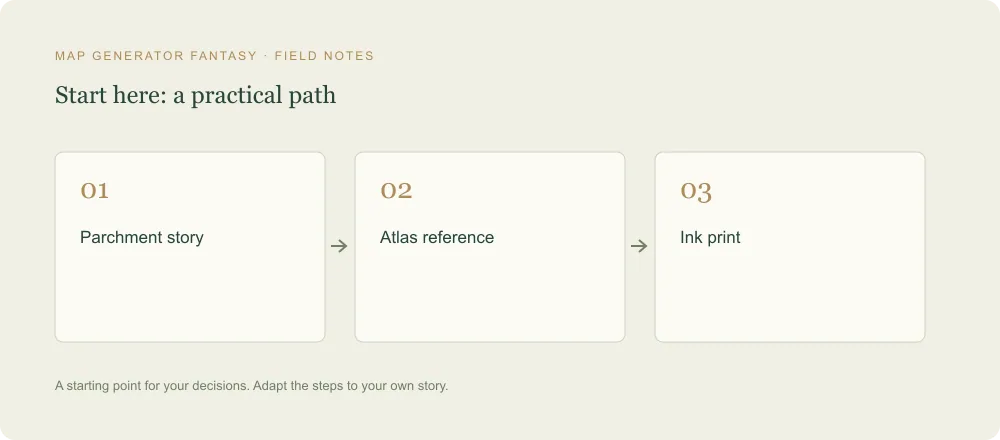
A setting can have more than one approved style if each has a clear purpose. You might keep an atlas reference for planning, a parchment player handout, and an ink print copy. Maintain the same major place names and geography so people understand that these are views of the same world. Mark audience-specific information separately, especially when private landmarks must not appear in a public version.
Save the editable data for each important version and record why it exists. Once you have a readable presentation that supports the map's purpose, stop switching styles merely to postpone delivery. The best choice is not a universal ranking of palettes. It is the style that lets your particular audience understand the world while giving the illustration the atmosphere you want. A focused comparison of the Amber Strait should leave you with a usable map, not an endless gallery of unfinished alternatives.
Give the idea a world of its own.
Try the technique in the generator, then save an editable copy so you can return to your work.
Open the map maker ↗